
Hardware + software · ready-made package with installation
Clean water, automatically and safely
The Ultimate Reverse Osmosis Controller runs reverse osmosis units. It starts and stops production on its own based on the tank level and flushes the membrane before every cycle. It monitors pressures, TDS, pH, flows, temperatures and frost, and stops the pump as soon as something is not safe. You operate it from a 7" touch screen on the panel and from your browser, over Ethernet or WiFi.
- 5 errorsstop the pump immediately
- 11 warningsbefore a problem becomes a failure
- 3 TDSfeed, product, waste
- 0 cloudworks on your local network
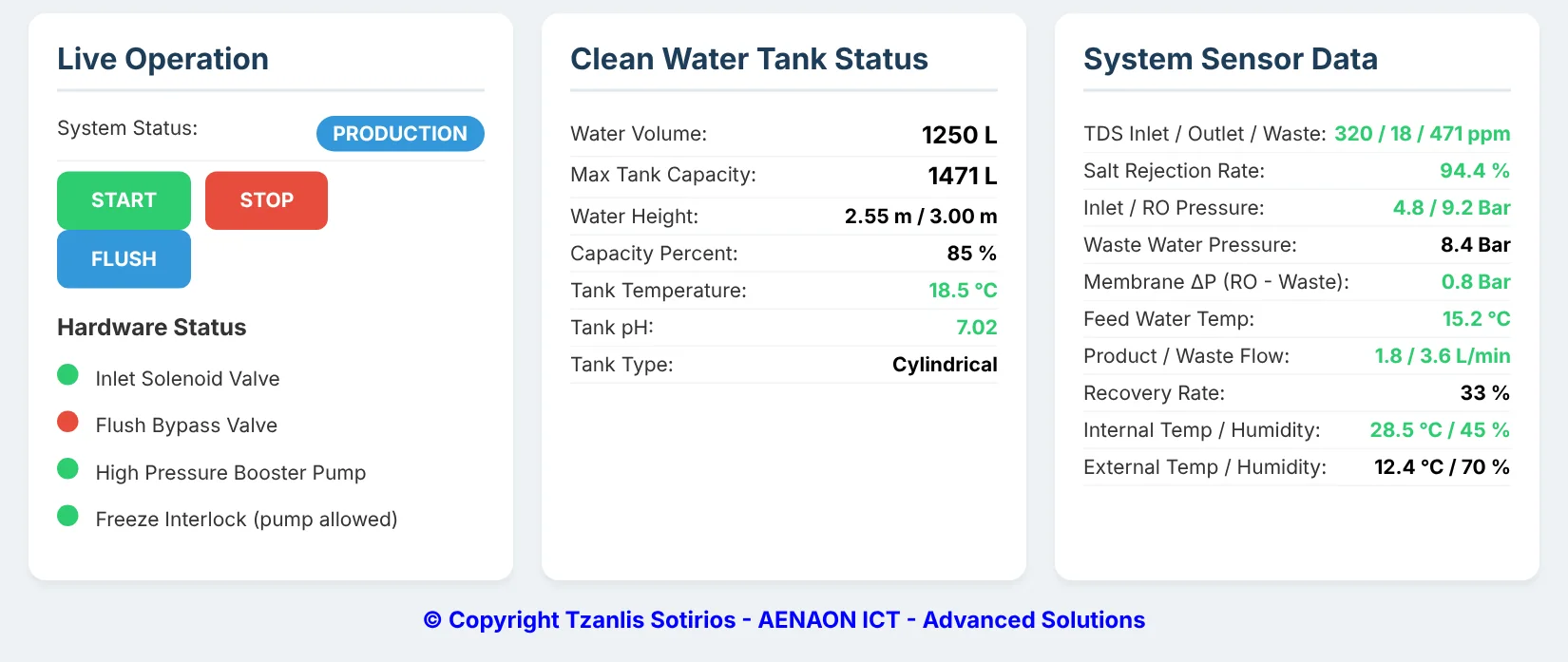
The whole R/O unit, under control
For hotels, restaurants, workshops, homes and any site that produces its own clean water. The controller does the work on its own and alerts you only when needed.
- 3pressure sensors: feed, membrane, waste
- 2flow meters for product water and waste
- 11status lights on the panel
- 1′logging of all measurements every minute
All features, in one box
In normal operation you don't need to do anything. The controller produces water when the tank needs it, protects the membrane and keeps a record of every litre.
Automatic cycle
Production starts when the tank drops to the lower limit (e.g. 80 %) and stops when it is full (e.g. 98 %). Hysteresis prevents constant restarts.
Membrane flush
A short membrane flush before every production run, plus manual FLUSH with one button.
Pressures & ΔP
Feed, membrane and waste pressure, plus the pressure drop across the membrane, which shows early that the membrane is starting to clog.
TDS & salt rejection
TDS at the feed, in the product water and in the waste, salt rejection rate and a check that the three sensors agree.
Flows & recovery
Product and waste flow in L/min and recovery rate: how much of the incoming water becomes clean water.
Tank in litres
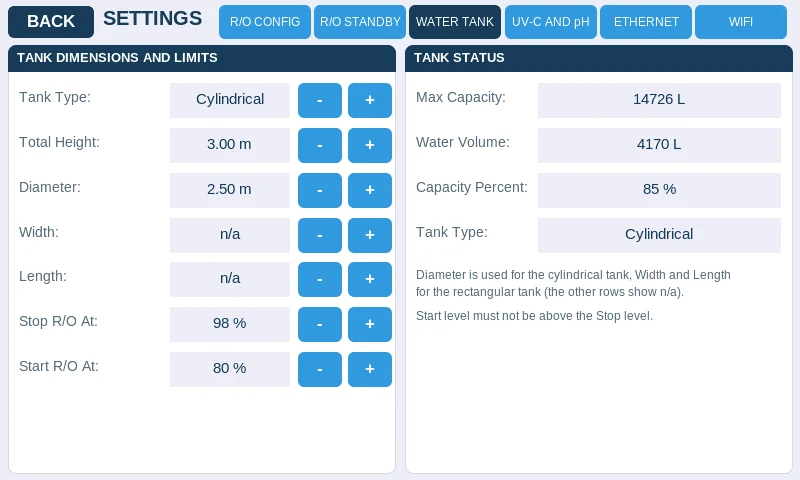
Cylindrical or rectangular tank: enter the dimensions and see volume, capacity, height and fill percentage.
Tank pH
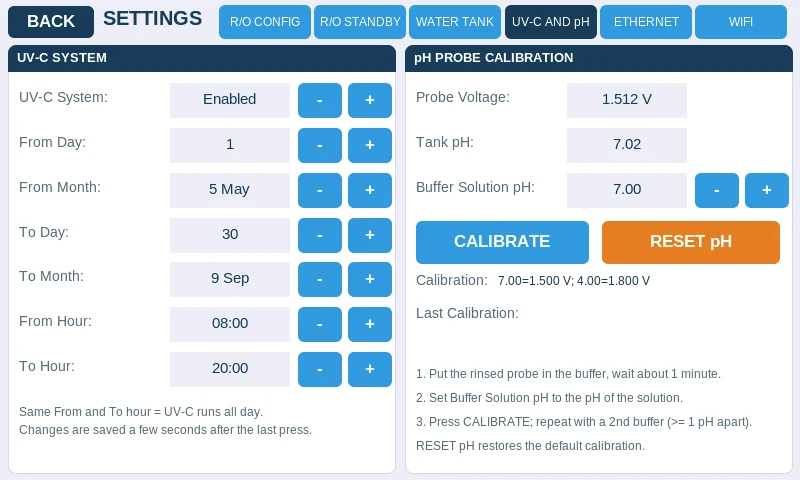
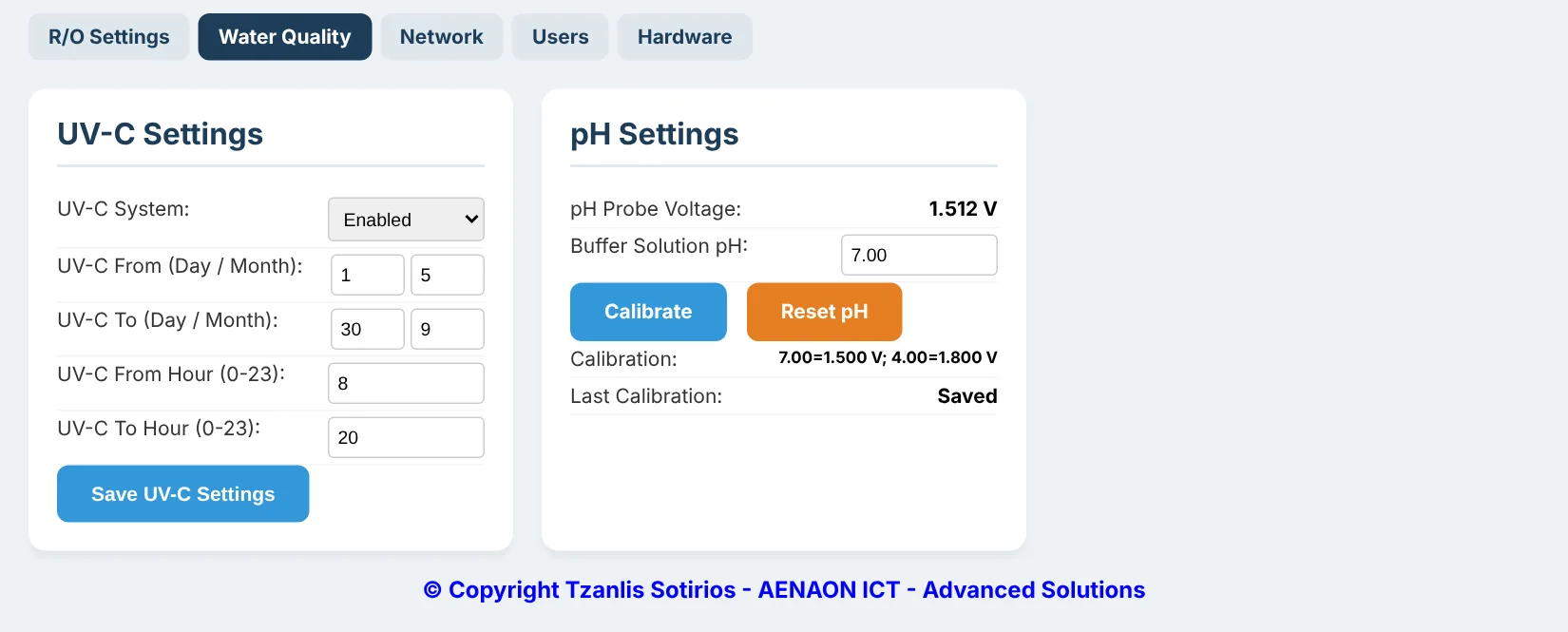
Continuous measurement with two-point calibration. Green within drinking-water limits (6.5–8.5), red outside them.
Frost & temperatures
Feed and tank water temperature, temperature and humidity inside the panel and in the room. The pump is locked out when there is a risk of frost.
R/O Standby
For periods without use: short scheduled runs, so that water does not stand still in the membranes.
UV-C disinfection
UV-C lamp with a season and a daily schedule that you set.
Statistics & filters
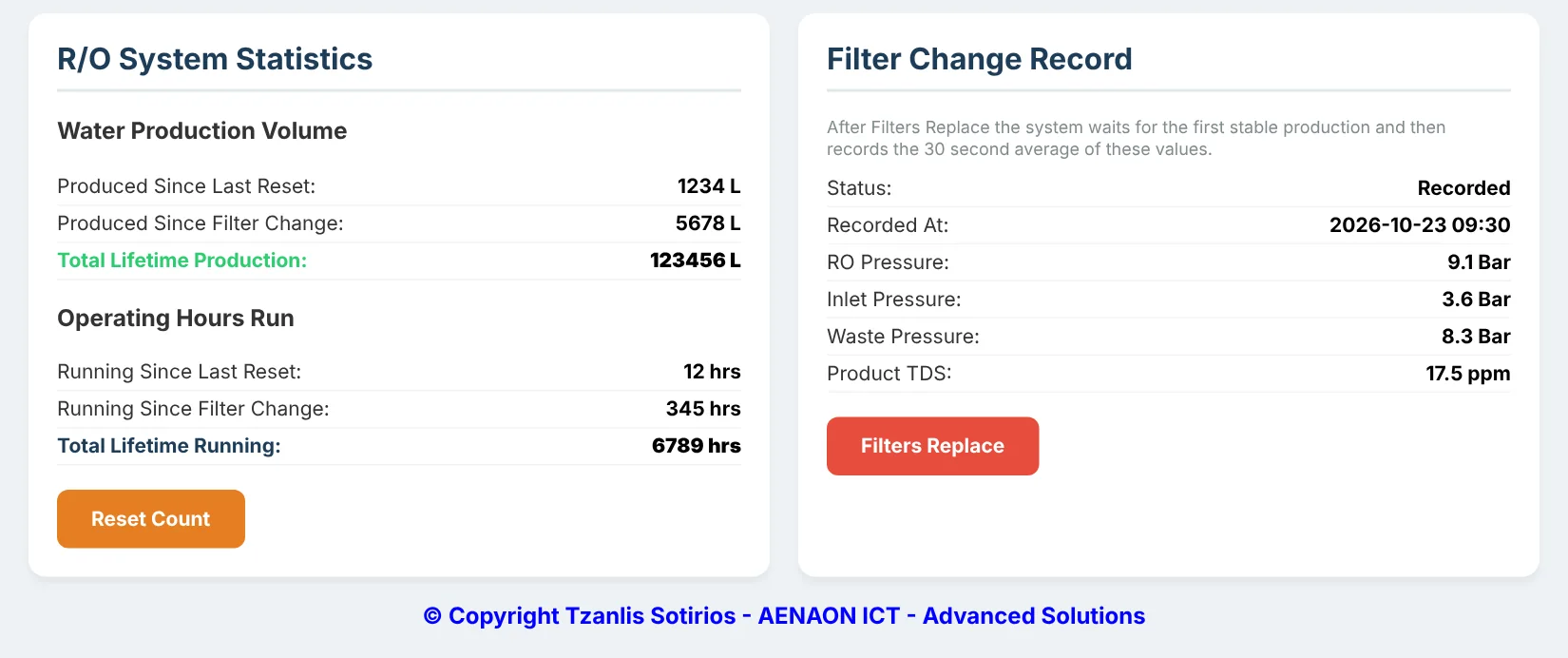
Litres and operating hours since the start, since the last filter change and since your own reset. Reference values at every filter change for comparison.
Logs in CSV
Every event, command and settings change with who made it, and all measurements every minute, in CSV files for Excel.
See the software
Real screens of the controller. Click an image to enlarge it.
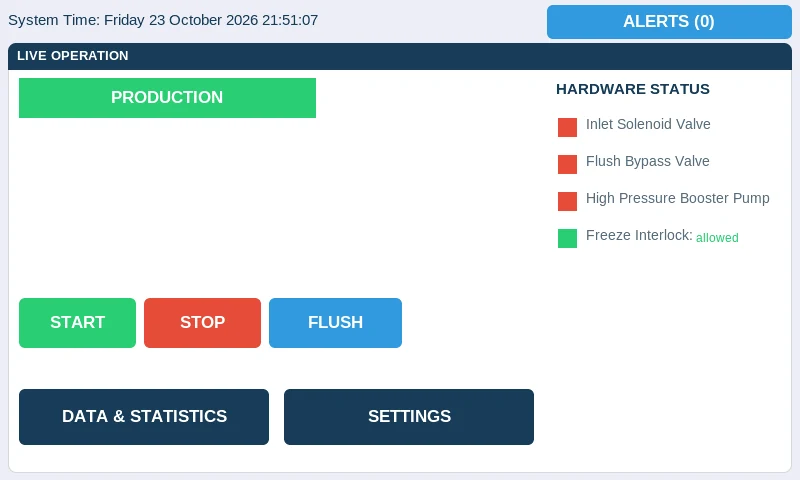
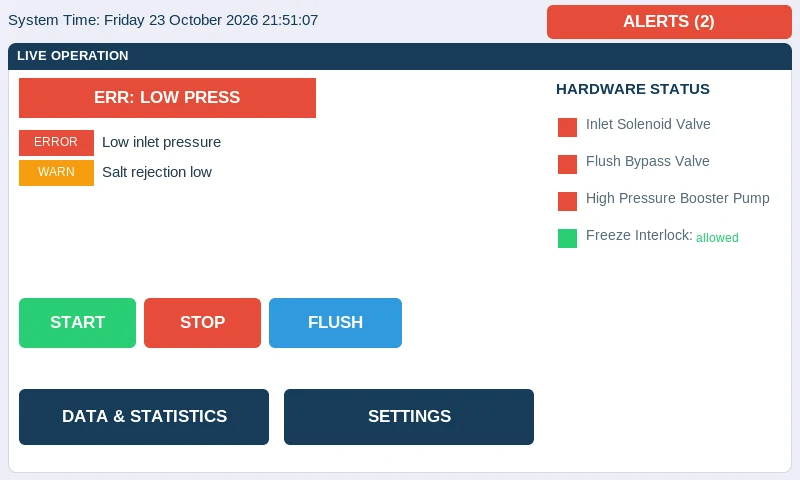
7" touch screen
The status at a glance, right on the panel
The main page shows the operating state in colour (STANDBY, FLUSHING, PRODUCTION or fault), the active errors and warnings and the state of the inlet valve, the flush valve and the pump.
- START, STOP and FLUSH with one touch
- Alerts, Data & Statistics and Settings pages
- Settings with −/+ that save themselves
Live Status
The whole unit on one browser page
Operating state with the control buttons, tank in litres and percent, TDS, salt rejection, pressures, membrane ΔP, flows, recovery and temperatures, refreshed every second.
- From a computer, tablet or phone, over Ethernet or WiFi
- Green values when everything is fine, red when not
- All active errors and warnings, one below the other
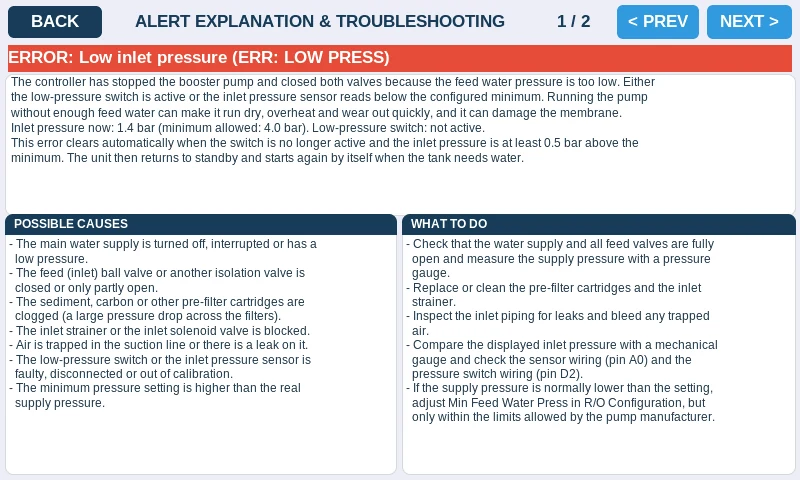
Alerts & Troubleshooting
The controller explains what happened and what to do
For every error and warning, the touch screen and the web interface show what it means, the possible causes and the steps to fix it, together with the live values.
- Audible alert with its own Morse “word” for every problem
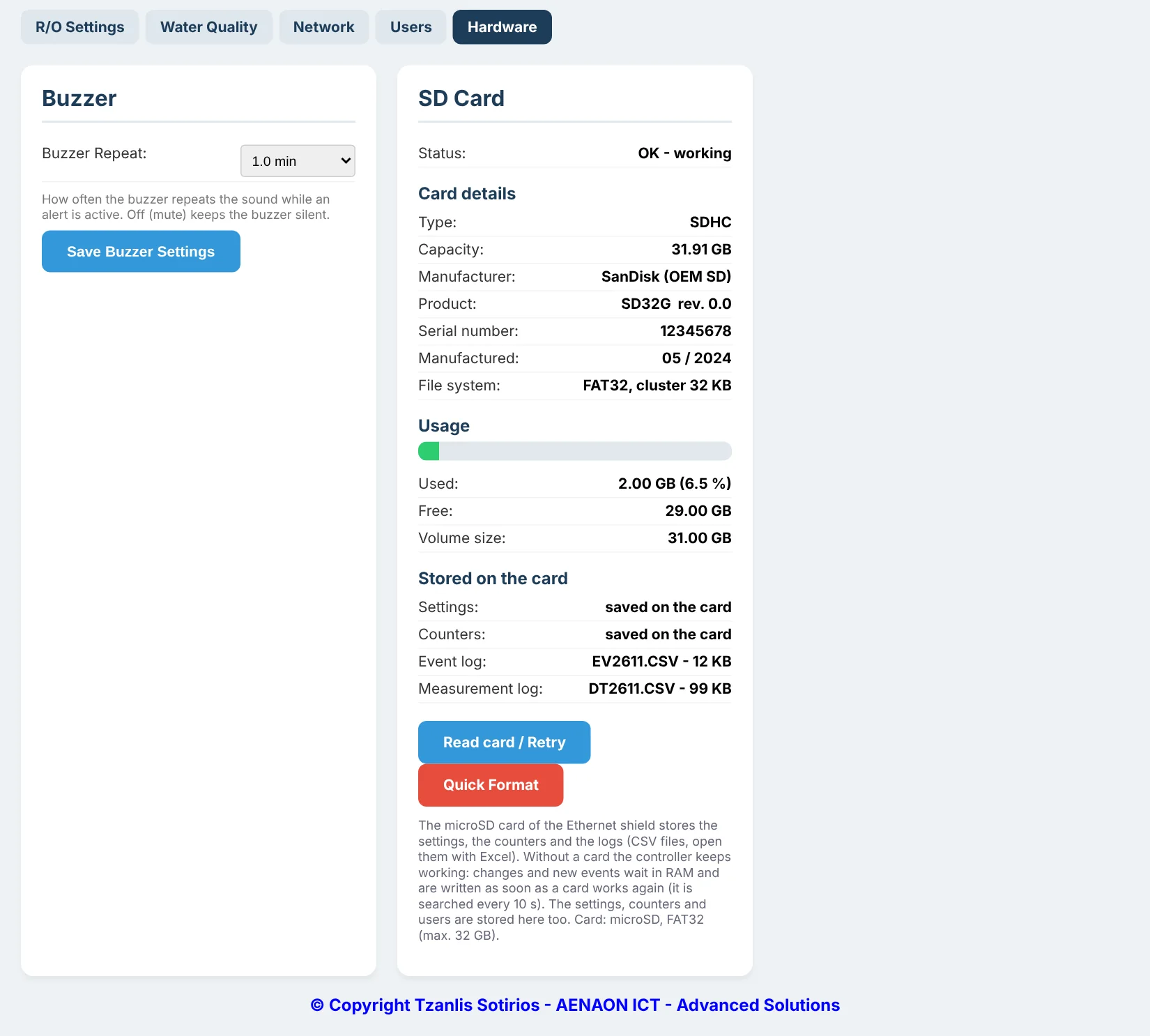
- Adjustable repeat or silencing of the buzzer
- 11 status lights on the panel, even without a screen
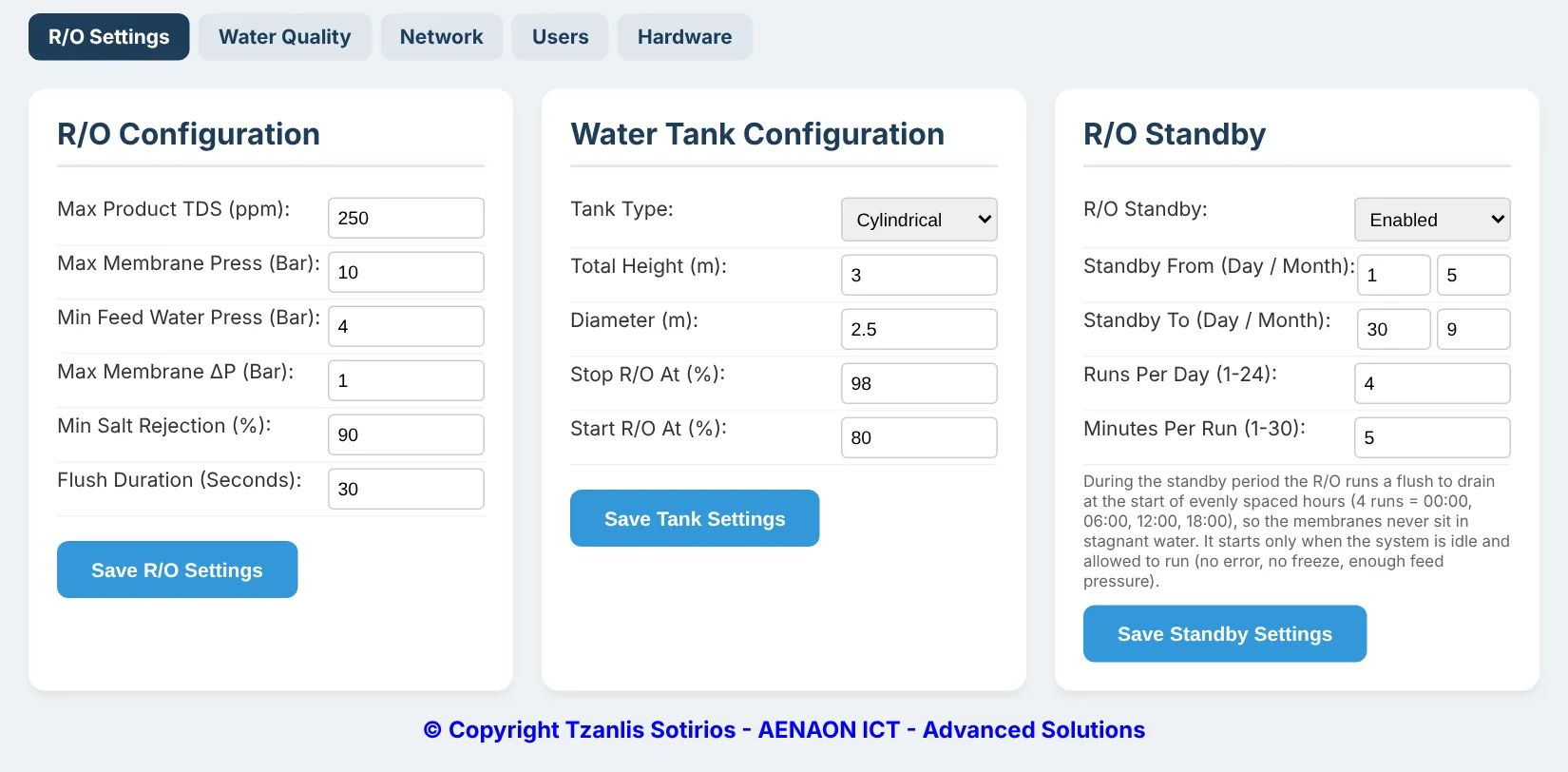
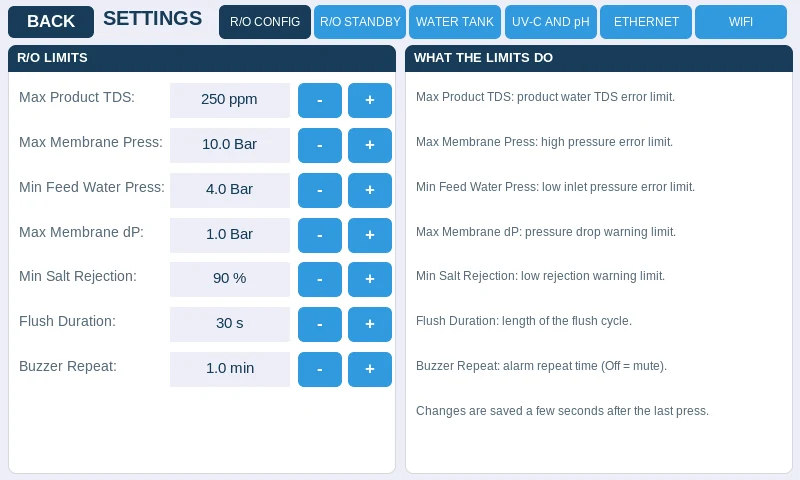
Settings
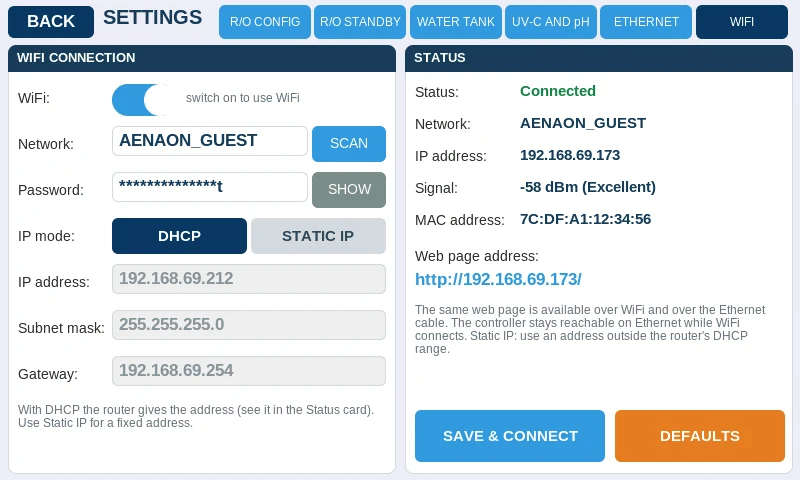
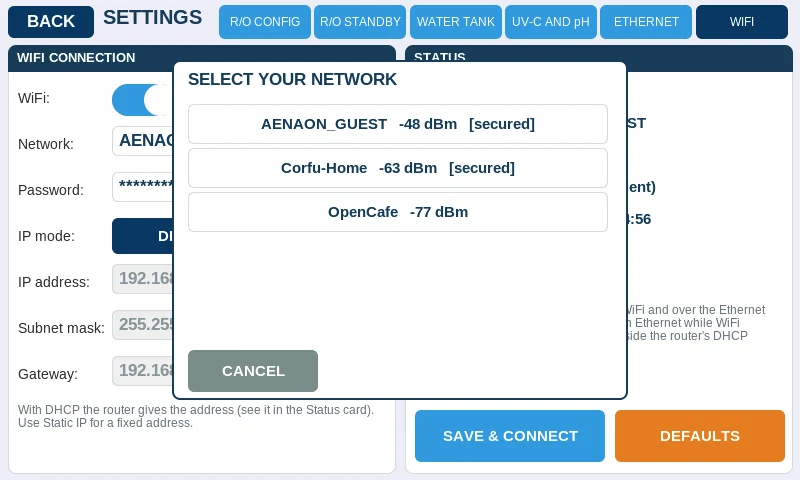
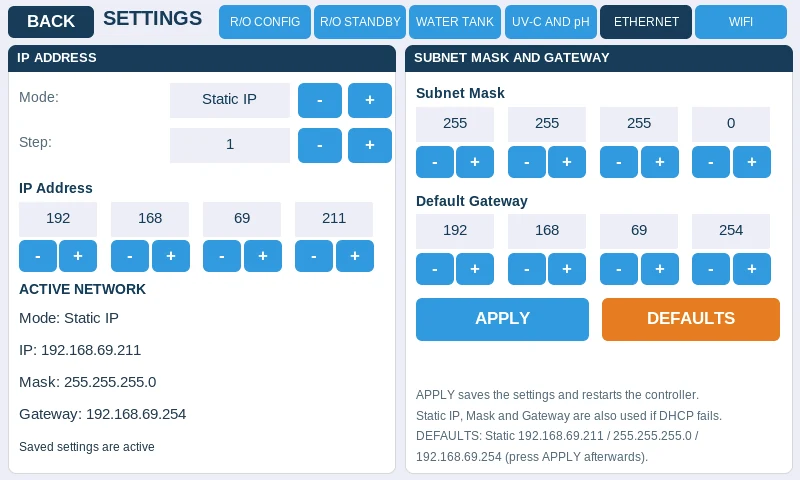
Limits, tank, Standby, UV-C, network
Settings are grouped in tabs, the same in the web interface and on the touch screen. The controller checks every value before saving it.
- TDS, pressure, ΔP and salt rejection limits, flush duration
- Tank dimensions and start / stop levels
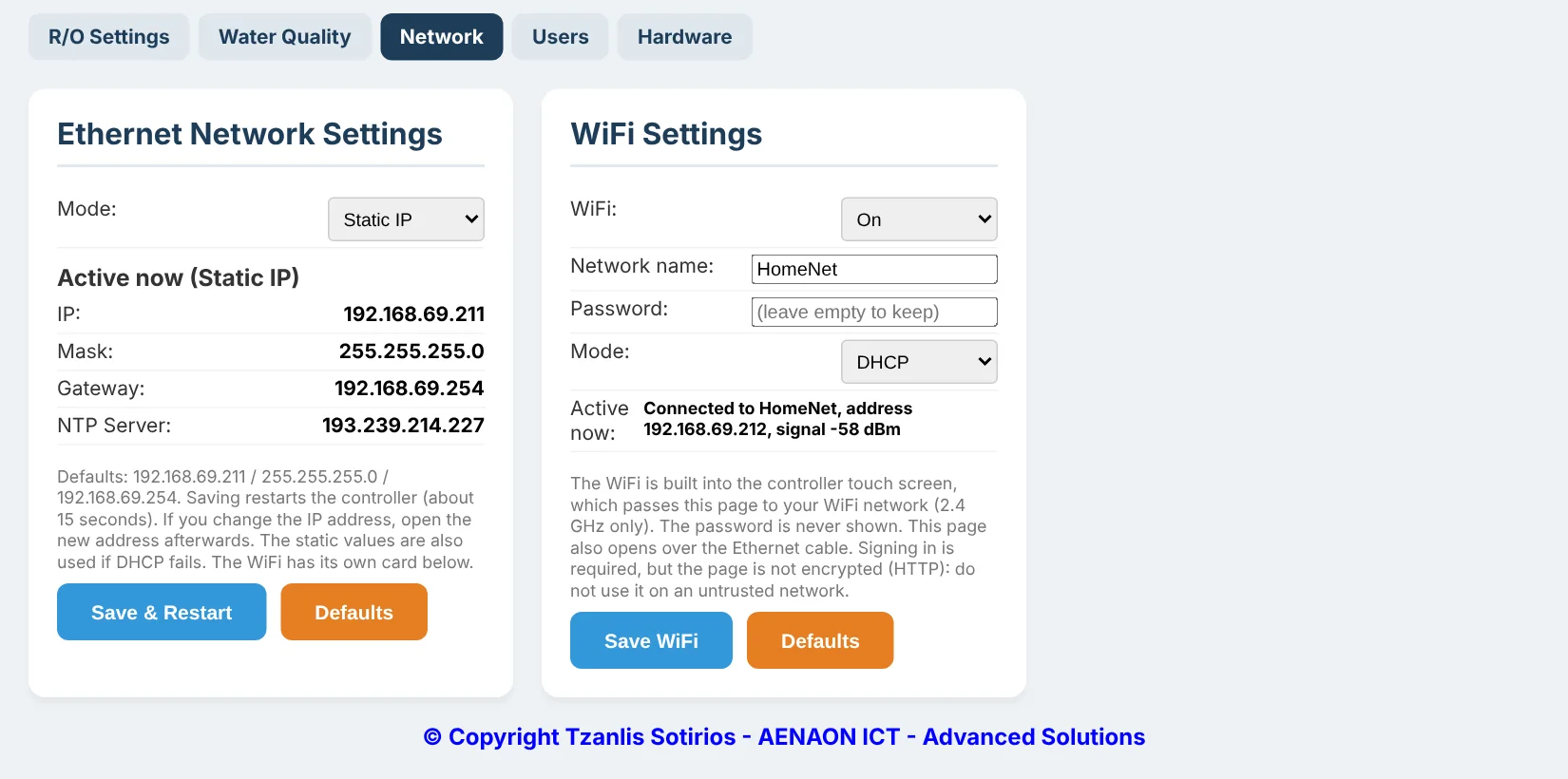
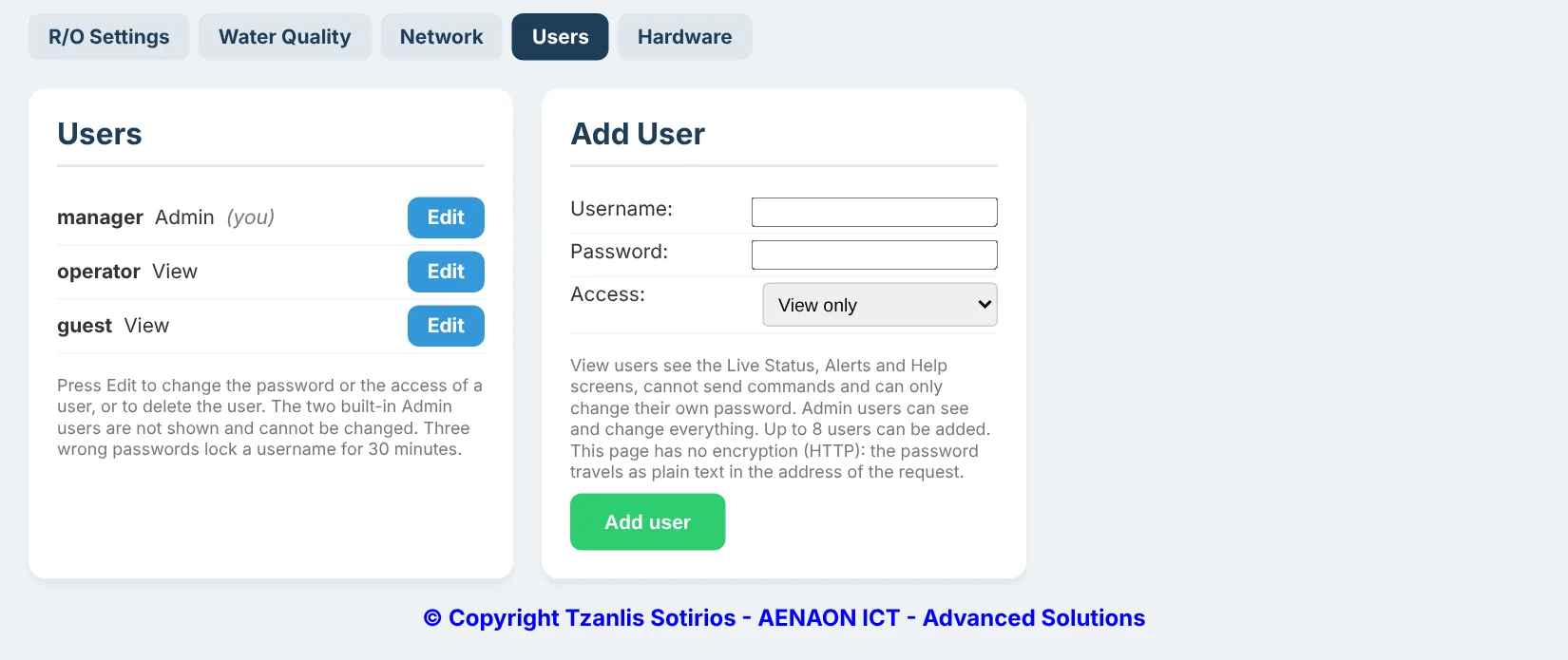
- pH calibration, Ethernet, WiFi, users, buzzer and SD card
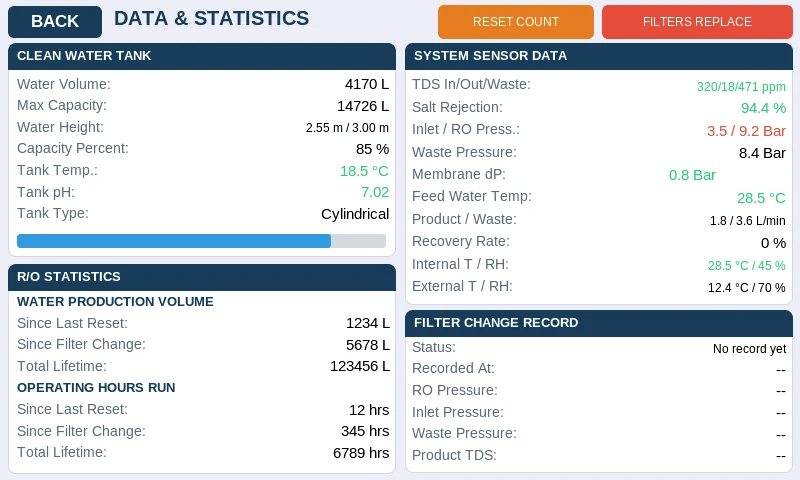
Data & Statistics
Litres, hours and reference values
How much water was produced and how many hours the unit ran, since the start, since the last filter change and since your own reset. At every filter change the controller stores the pressures and TDS as a reference point.
- Comparison of current values with the reference values
- Reset Count and Filters Replace with confirmation on the screen
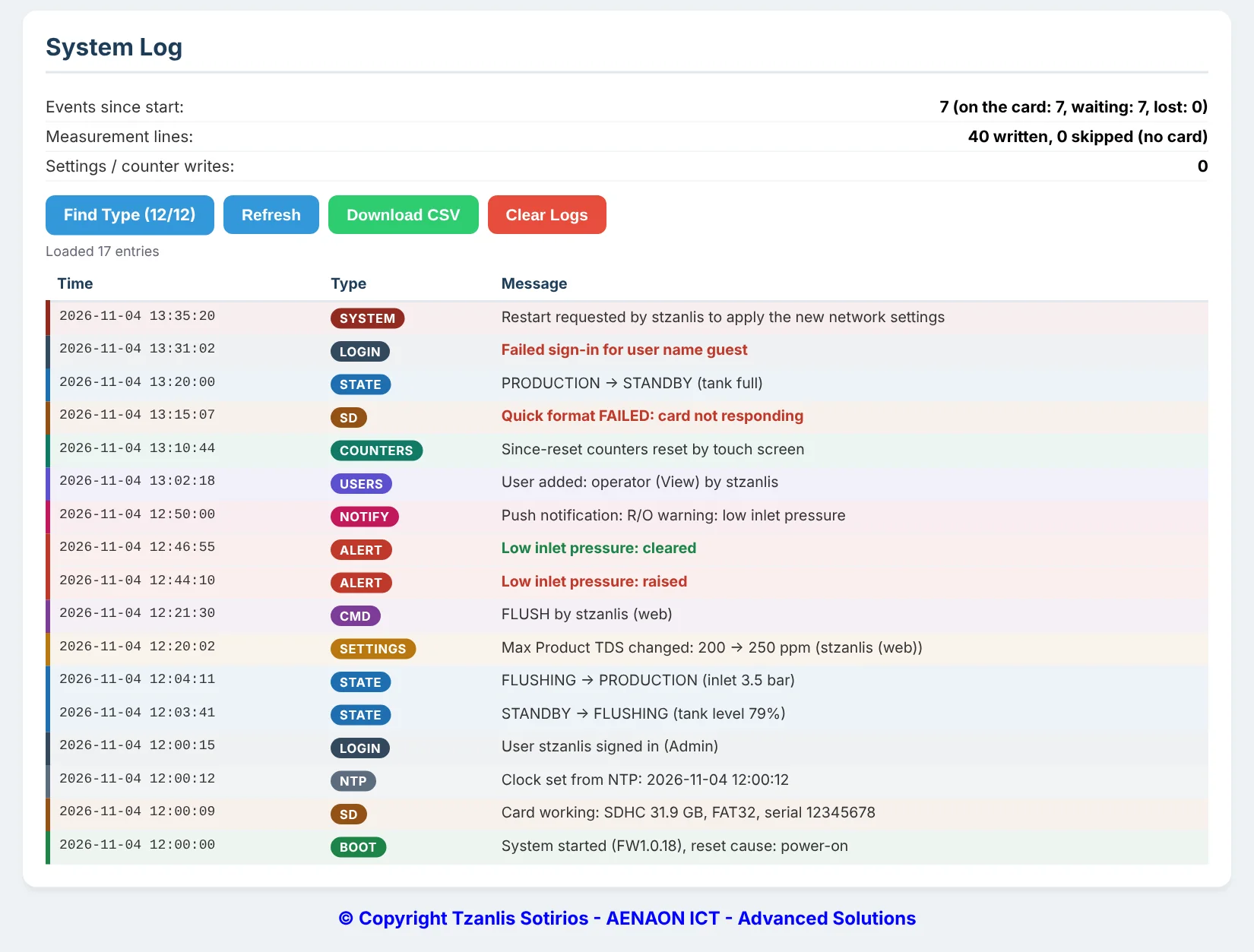
Logs
Complete history on the microSD card
Every event, colour-coded by type: errors, state changes, commands, settings changes with the old and the new value, user logins and clock synchronisation.
- Filter by type and browse previous months
- Download as CSV for Excel with one button
- Measurements every minute in separate monthly files
More screens
Touch screen and web interface.
Protection for the membrane and the water
On every fault the controller stops the pump immediately and closes the valves. Serious faults stay locked until a person has looked at them.
Low pressure
The pump never runs without water: a pressure sensor plus an independent pressure switch. It recovers on its own once the pressure is restored.
Membrane overpressure
Above the safety limit the pump stops and the fault locks, until the cause has been found and fixed.
Bad water stays out of the tank
If the TDS of the product water exceeds the limit, production stops and locks, so the tank is not filled with poor-quality water.
Frost
Below 0 °C in the feed water or in the tank, operation locks and restarts on its own once it warms up.
Safety float
Independently of the level sensor, the high-level float stops production when the tank is full.
Sensor failure
If the water temperature sensor is lost, the pump stops, because without it frost cannot be ruled out.
No false alarms
Warnings appear only when the condition lasts a few seconds, and not during stabilisation after the pump starts.
Safe storage
Settings, counters and users in two alternating copies with a checksum. A power cut never destroys the last good copy.
What the package includes
We deliver the controller assembled and programmed, together with the sensors, the screen and the documentation. It fits new or existing R/O units, and the final list is adapted to your installation.
Controller
- Arduino DUE (ARM Cortex-M3, 32-bit)
- Ethernet with microSD card
- DS3231 clock with battery
- Relays for valves, pump and UV-C
- Buzzer and 11 LED indicators
Sensors
- 3 pressure sensors and pressure switch
- 3 TDS sensors
- 2 flow meters
- 4–20 mA level sensor and float
- pH, 2 water thermometers, 2 temperature/humidity sensors
Operation
- CrowPanel 7" touch screen
- Web interface over Ethernet and WiFi
- Admin and View users
- On-screen keyboard and network scan
Software & documentation
- Firmware FW1.0.18 for controller and screen
- Screen update from a microSD card
- User manual (PDF)
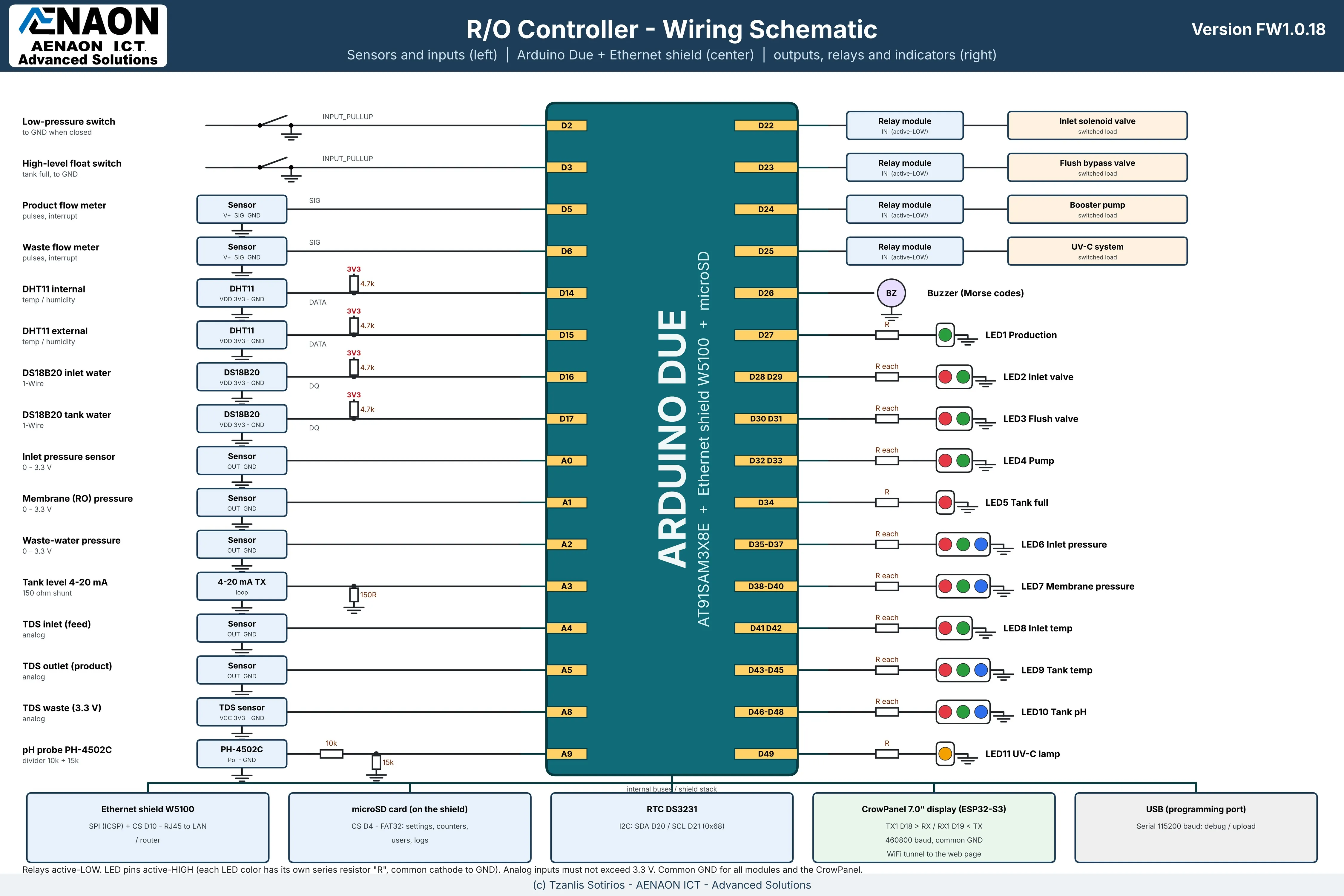
- Pinout and wiring diagram
Wiring
Documented wiring, pin by pin
Every installation comes with the controller pinout and a complete wiring diagram for sensors, relays, indicators and communication modules.
- All analogue inputs adapted to the controller's 3.3 V
- Relays for inlet valve, flush valve, high-pressure pump and UV-C
- Screen on a separate power supply, connected with two wires
Technical specifications
Firmware FW1.0.18.
| Controller | Arduino DUE – SAM3X8E, ARM Cortex-M3 32-bit, 3.3 V logic |
|---|---|
| Touch screen | CrowPanel 7" ESP32-S3, 800 × 480, capacitive touch, WiFi 2.4 GHz |
| Network | Ethernet (static IP or DHCP) and WiFi through the screen, at the same time |
| Web interface | Live Status, Statistics, Settings, Alerts, Logs, Help · refreshed every 1 s · up to 6 simultaneous users |
| Users | Admin and View · up to 8 additional accounts · SHA-256 salted passwords · lockout after 3 failed attempts |
| Pressures | Feed, membrane, waste, membrane ΔP · low-pressure switch |
| Water quality | Feed / product / waste TDS, salt rejection, recovery, tank pH with 2-point calibration |
| Flow | Product water and waste (L/min) · litre and hour counters |
| Tank | Cylindrical or rectangular · 4–20 mA level · high-level float |
| Temperatures | Feed and tank water (DS18B20) · panel and room (DHT11) |
| Outputs | Inlet valve, flush valve, high-pressure pump, UV-C, buzzer, 11 LED indicators |
| Alerts | 5 errors, 11 warnings, Morse words on the buzzer, repeat every 1–10 minutes or silence |
| Storage | microSD FAT32 up to 32 GB · settings, counters, users · events and per-minute measurements in CSV |
| Clock | DS3231 with battery · NTP synchronisation |
User manual
A detailed guide to every screen, setting, alert and maintenance task, with images from the web interface and the touch screen.
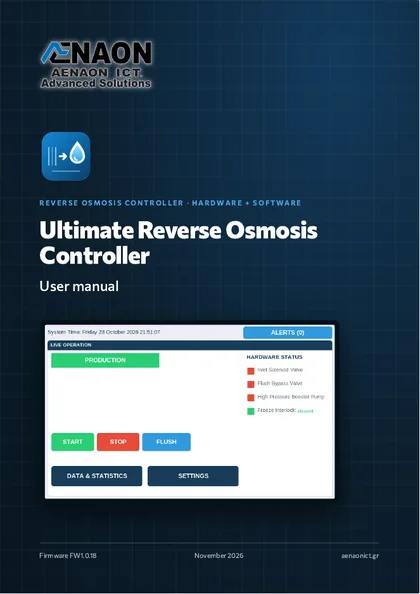
Ultimate Reverse Osmosis Controller – User manual
For the owner, the staff and the maintenance technician.
- Introduction, safety instructions and system parts
- How it works: cycle, states, protections
- The web interface: all screens and cards
- The touch screen, Ethernet and WiFi
- Errors, warnings, buzzer and LED indicators
- Settings table with defaults
- Maintenance, pH calibration, updates, troubleshooting
- Pinout, wiring diagram and technical specifications
- Version
- Firmware FW1.0.18
- Pages
- 52
- Size
- 6.5 MB
Frequently asked questions
Does it need the internet to work?
No. The controller works on its own and the touch screen always works. The web interface only needs the local network (Ethernet or WiFi). The internet is used only, if available, to synchronise the clock.
Will it fit my R/O unit?
The controller fits units with an inlet valve, a flush valve and a high-pressure pump, in new or existing installations. Send us the details of the unit and the tank for a quote.
Can I see it from my phone?
Yes, from any browser on the same network, through an Ethernet cable or WiFi. For remote access we recommend a VPN connection, because the web interface is not encrypted.
What happens if the power goes out?
Settings, counters, users and history are on the microSD card, in duplicate copies, and the time is kept by the battery-backed clock. When power returns, the controller starts with the saved settings and counters.
When should I change the filters or the membrane?
The controller keeps the pressures and TDS from the last filter change as a reference point. When the membrane pressure or ΔP rises, or the salt rejection drops, a warning appears before the unit reaches a failure.
The house or hotel closes for the winter. What do I do?
Enable R/O Standby for the period without use: the unit performs short runs on its own, so that water does not stand still in the membranes. If there is a risk of frost, the controller locks the pump.
How is the software updated?
The screen software is updated from a microSD card, without a computer: you put the file we give you on the card and switch the screen on. The controller and the screen must always have the same version.
Something missing? Suggest it.
Suggest any feature you consider essential in Ultimate Reverse Osmosis Controller. We will evaluate it and, if approved, add it to the next upgrade of the program, completely free of charge.
- You write to usDescribe what you need and how it would help your daily work.
- We evaluate itWe review it technically and functionally and let you know the outcome.
- It comes freeIf approved, it is included in the next upgrade at no extra cost.
Request a quote
Tell us a little about your R/O unit and your tank, and we will send you a quote for the package and the installation.
Athens (head office)
Kioutacheias 19, 162 31 VyronasCorfu
Dim. Odos Kato Agiou Markou, 490 83 PyrgiEmail: