
The order starts in the waiter's hand
The Sky Ordering System apps turn every tablet or phone – Android, iPhone or iPad – into a portable ordering terminal. They connect to the shop's server and keep working even when the Wi-Fi drops.
Everything the waiter needs, nothing more
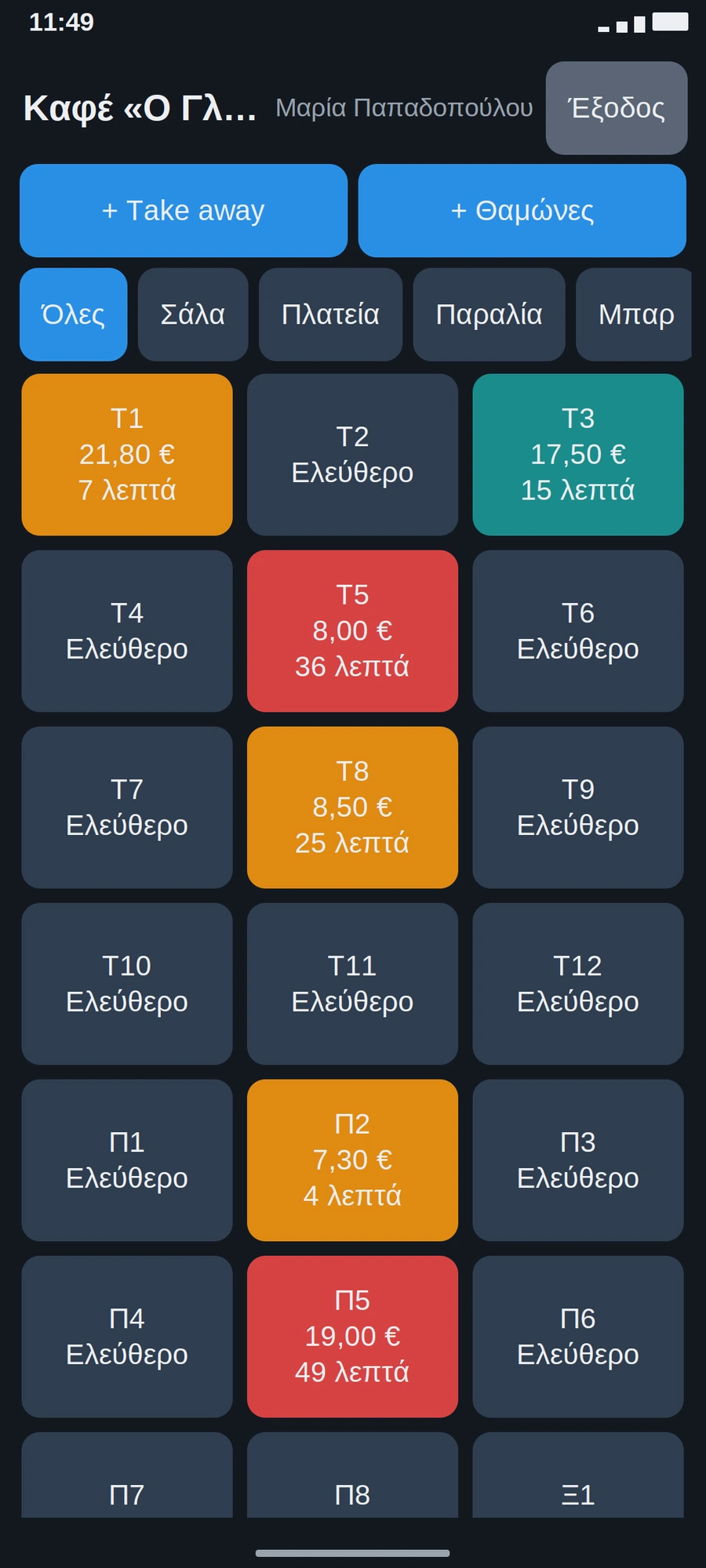
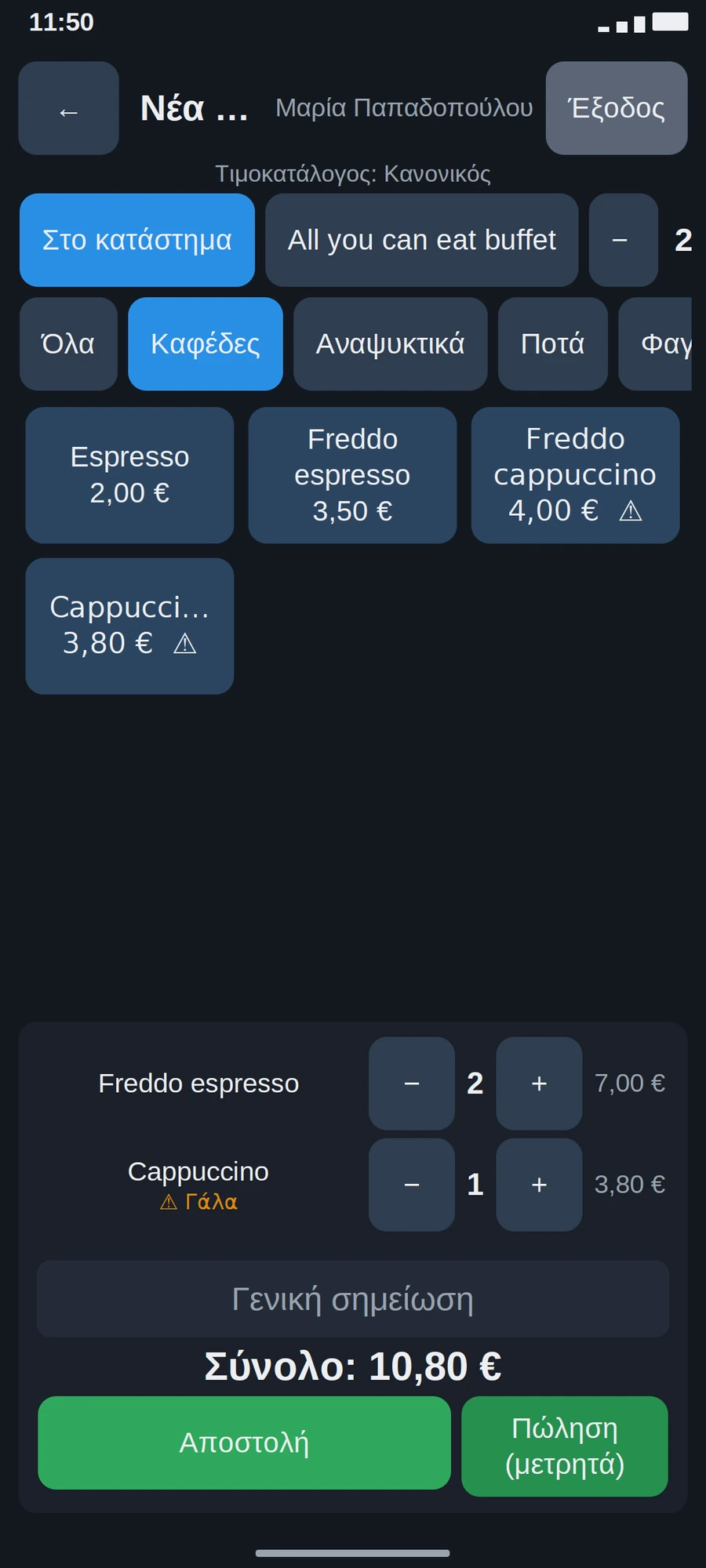
The same colours and logic as the Windows screen, with large buttons for quick one-handed use.
Floor and areas
Tap a table or sunbed to see its orders or add a new one.
Fast ordering
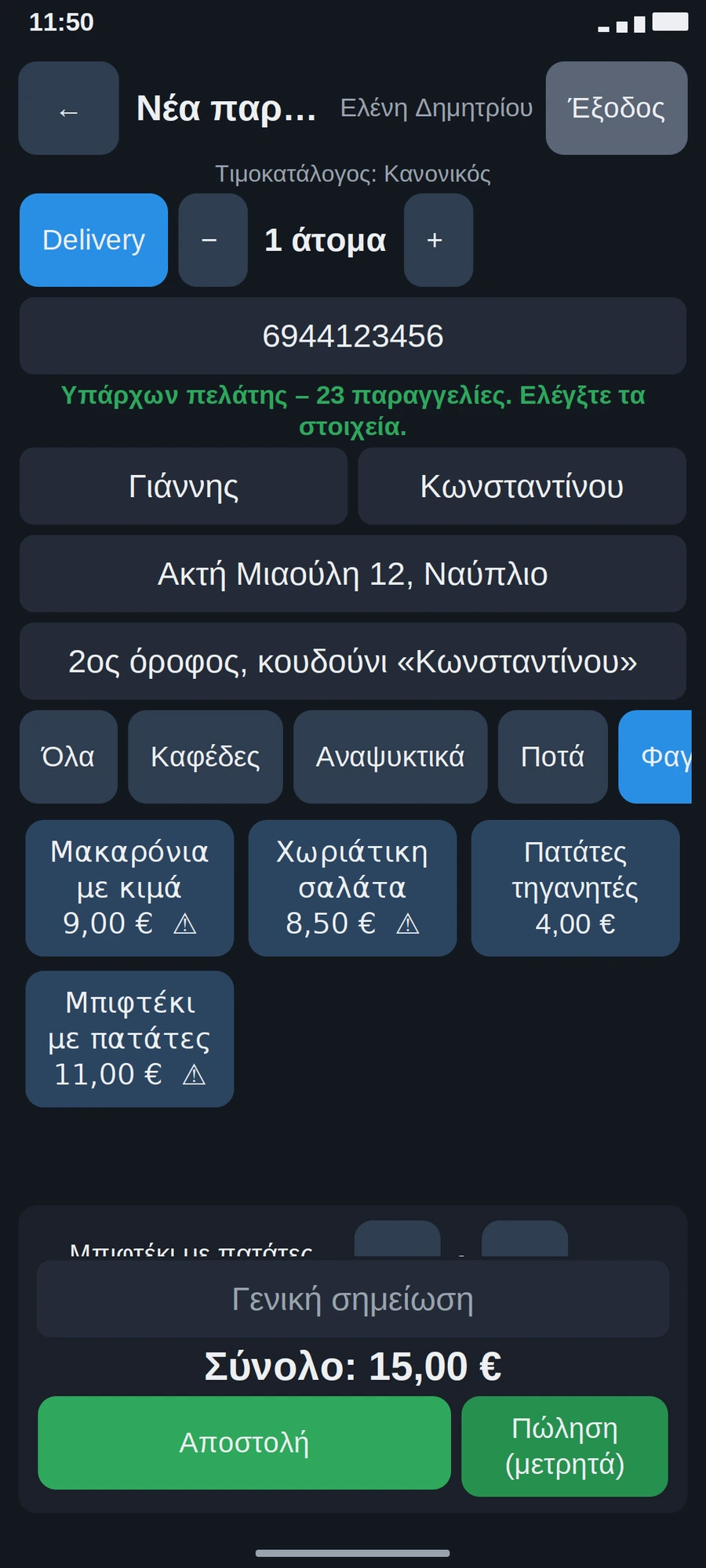
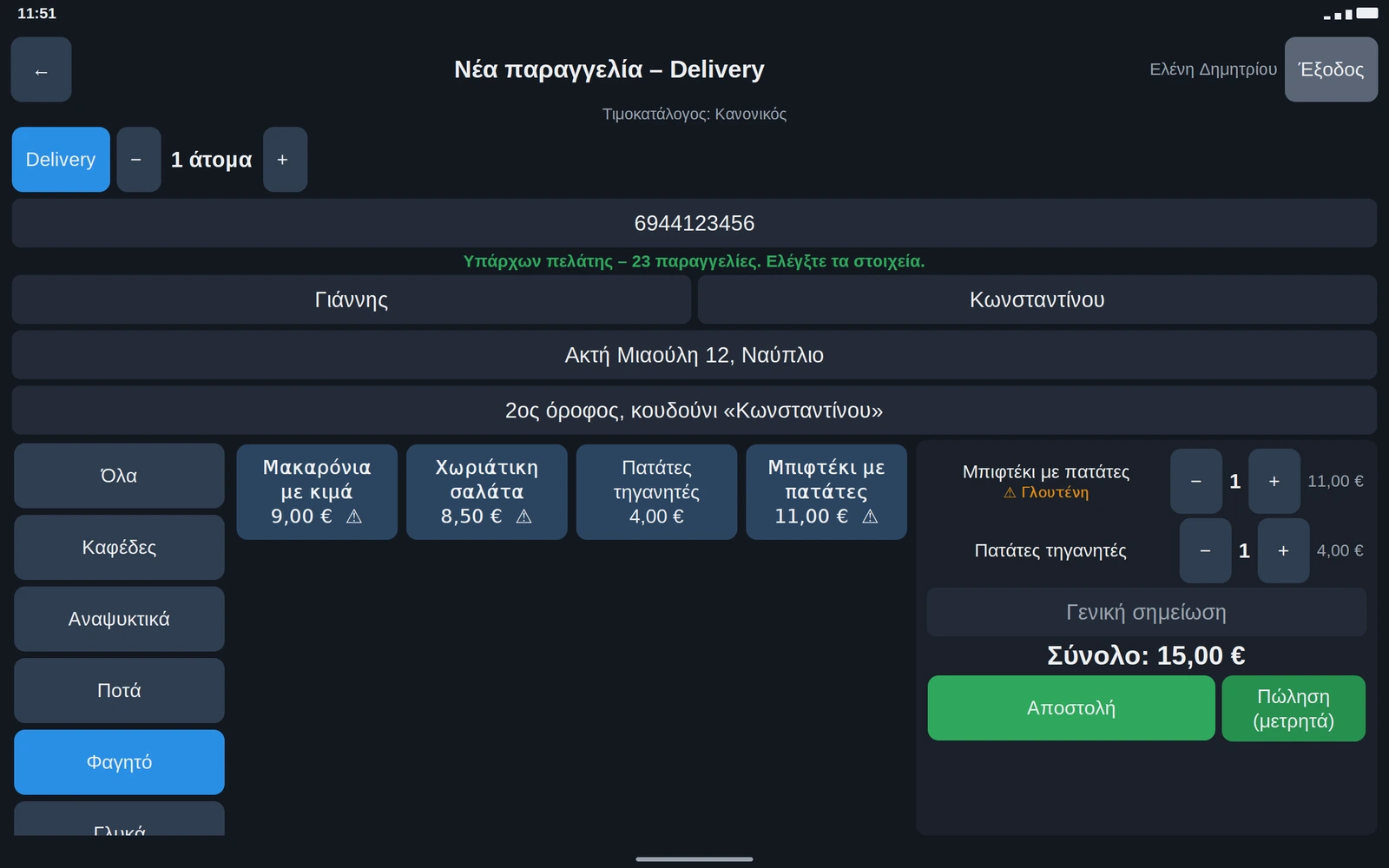
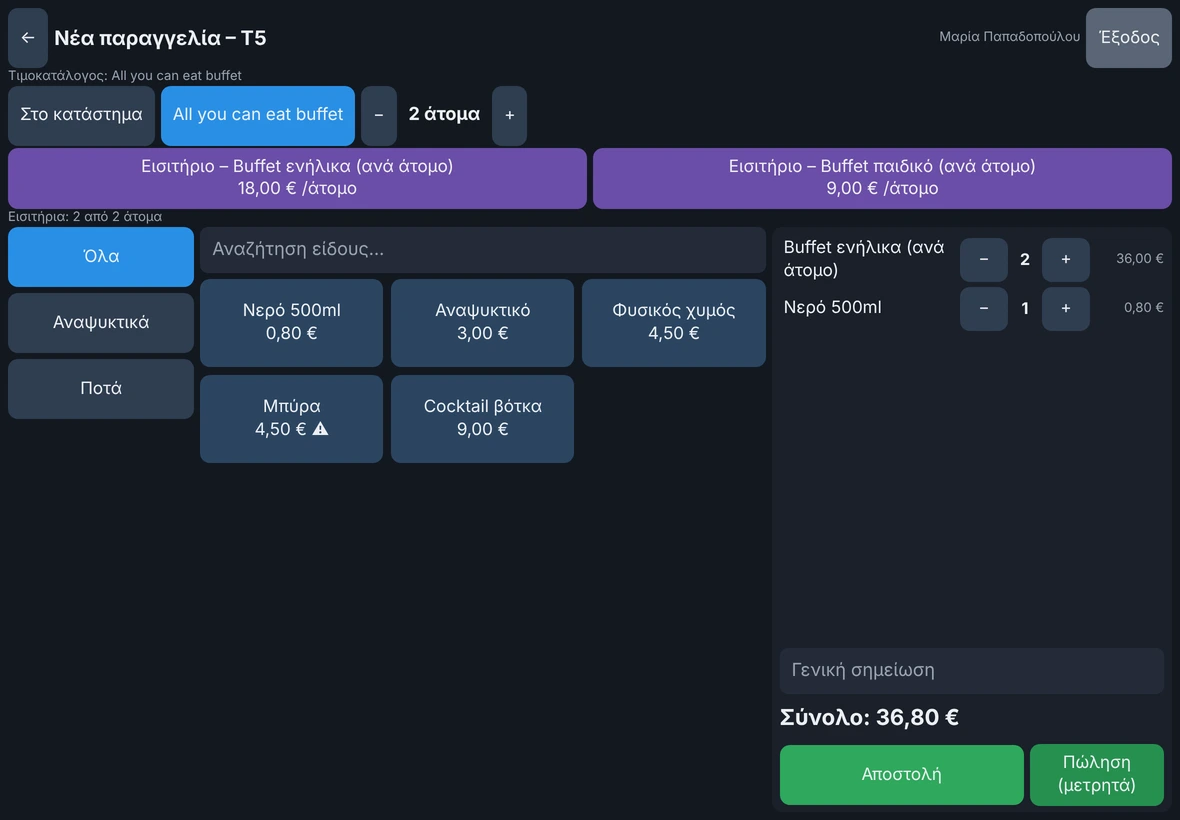
Categories, items, quantities, a note per item, number of people and service (dine-in, buffet, take away, delivery).
Payment at the table
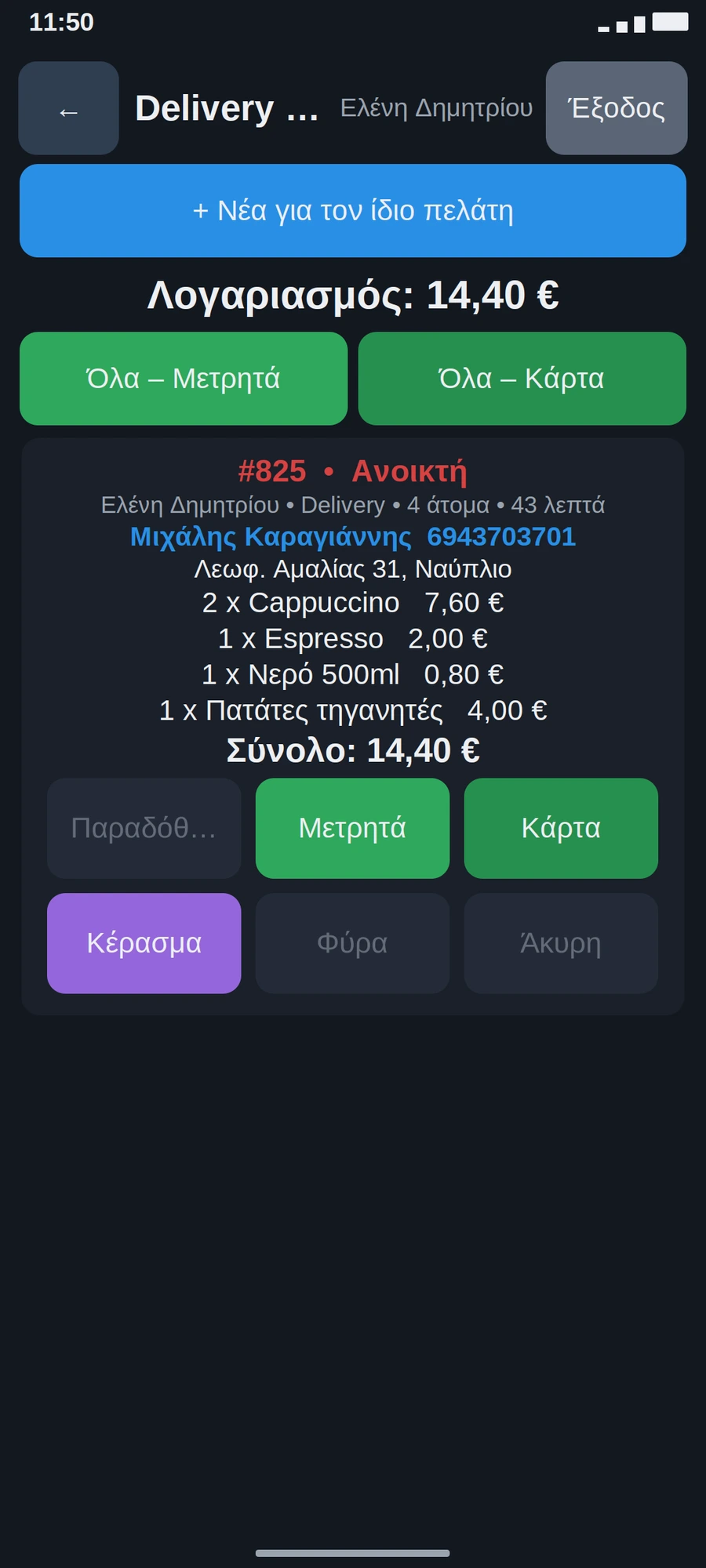
Served, Cash, Card, Treat, Waste, Void – according to your role's permissions.
No Wi-Fi? Keep going
New orders are stored encrypted on the device and sent automatically when the connection returns, with the correct time and no duplicates.
In every waiter's language
The app speaks 12 languages: Greek, English, Italian, French, German, Spanish, Portuguese, Russian, Polish, Bulgarian, Serbian and Croatian. It automatically takes the language set by the shop or the device language, and each waiter can change their own with the language button.
Secure connection
Communication with the server is encrypted with the shop's network key. Sign-in with a PIN.
Phone and tablet
Separate apps for phone and tablet, so each device makes the most of its screen. The screen stays on while the app is open.
Sky Ordering Tablet
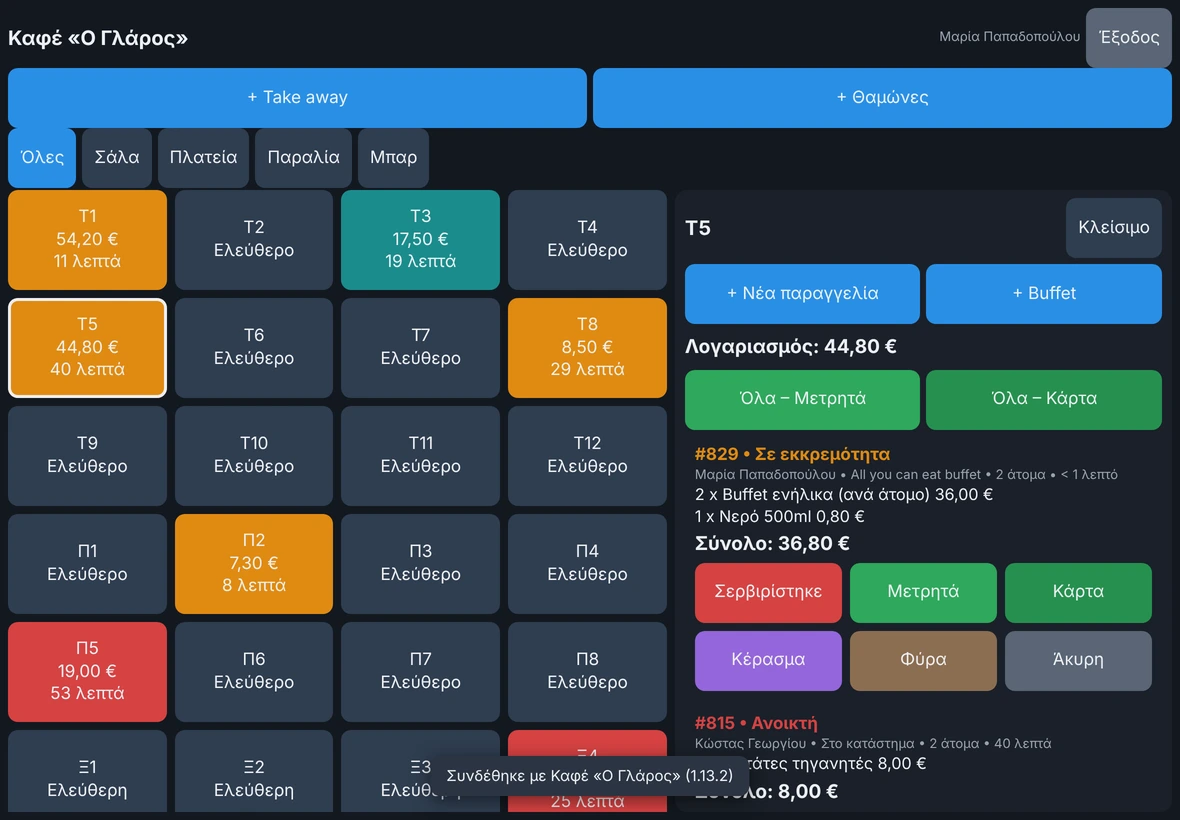
A separate app for tablets. For the fixed points of the shop – bar, pool, pass, till – there is a dedicated app designed for the large tablet screen (7" and up). It can be installed alongside the phone app.
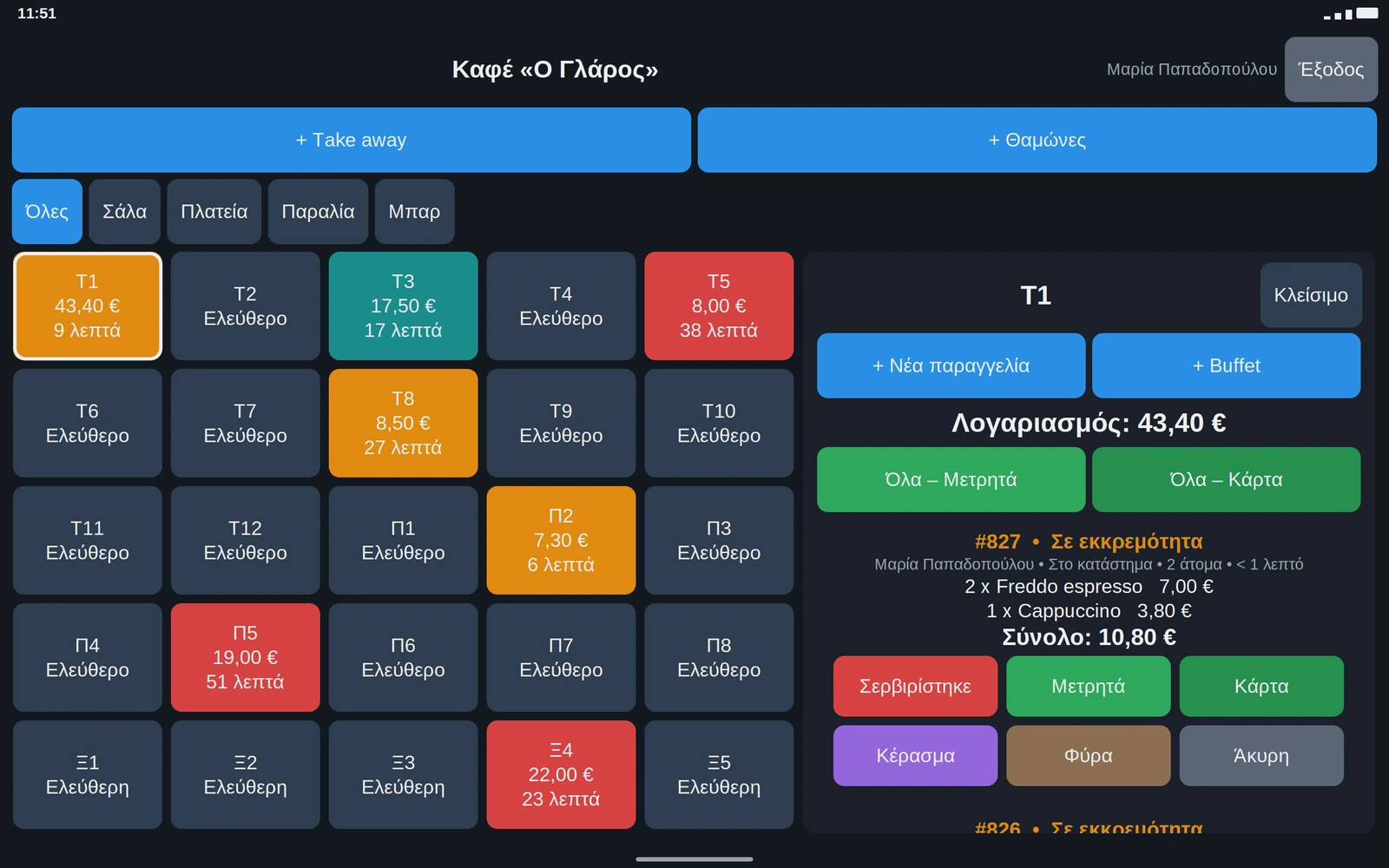
Floor and bill together
Places on the left, the bill of the place you tapped on the right with all actions – without switching screens.
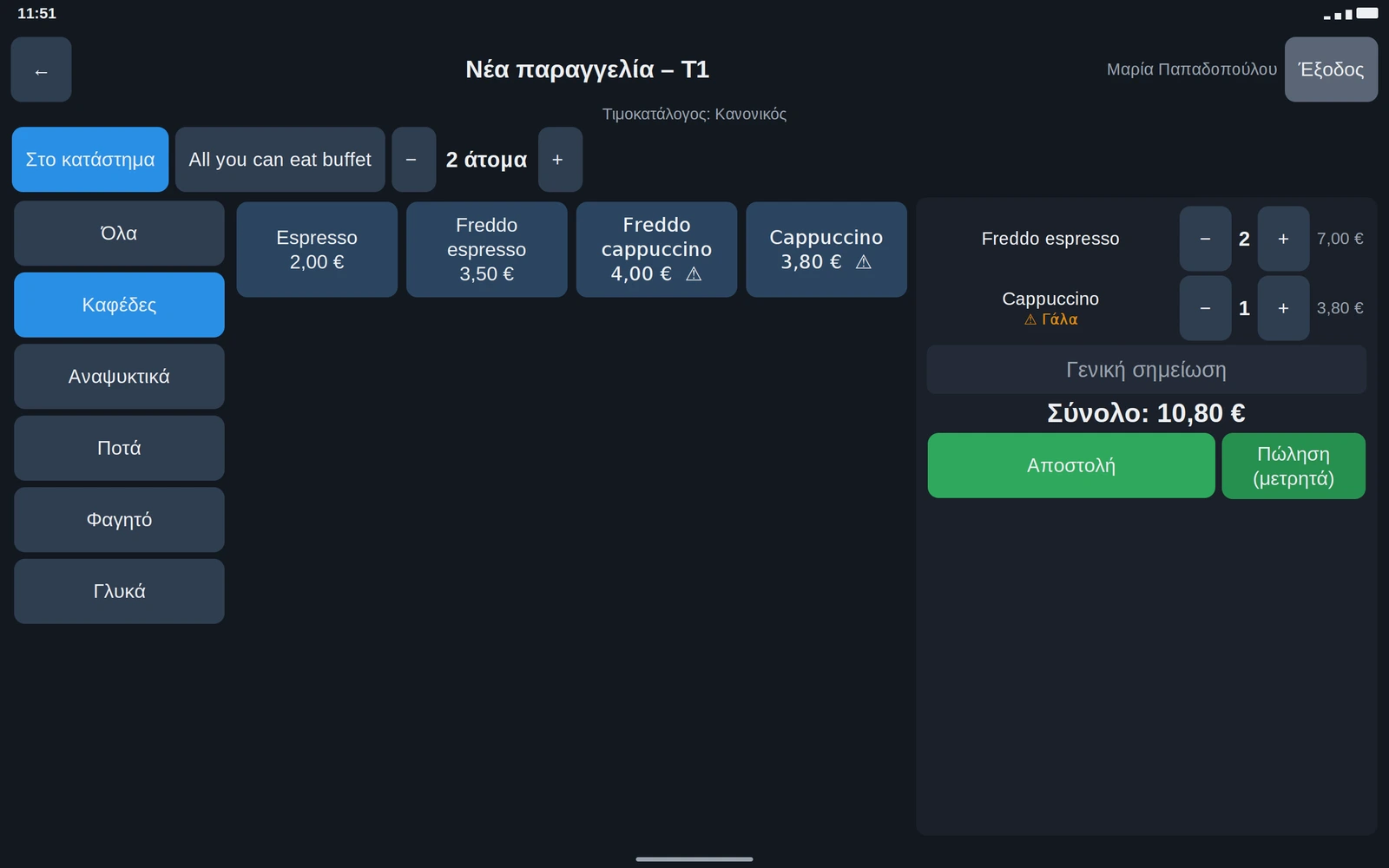
Three columns in the order
Categories in a vertical column, items in the middle, basket on the right: the whole order at a glance.
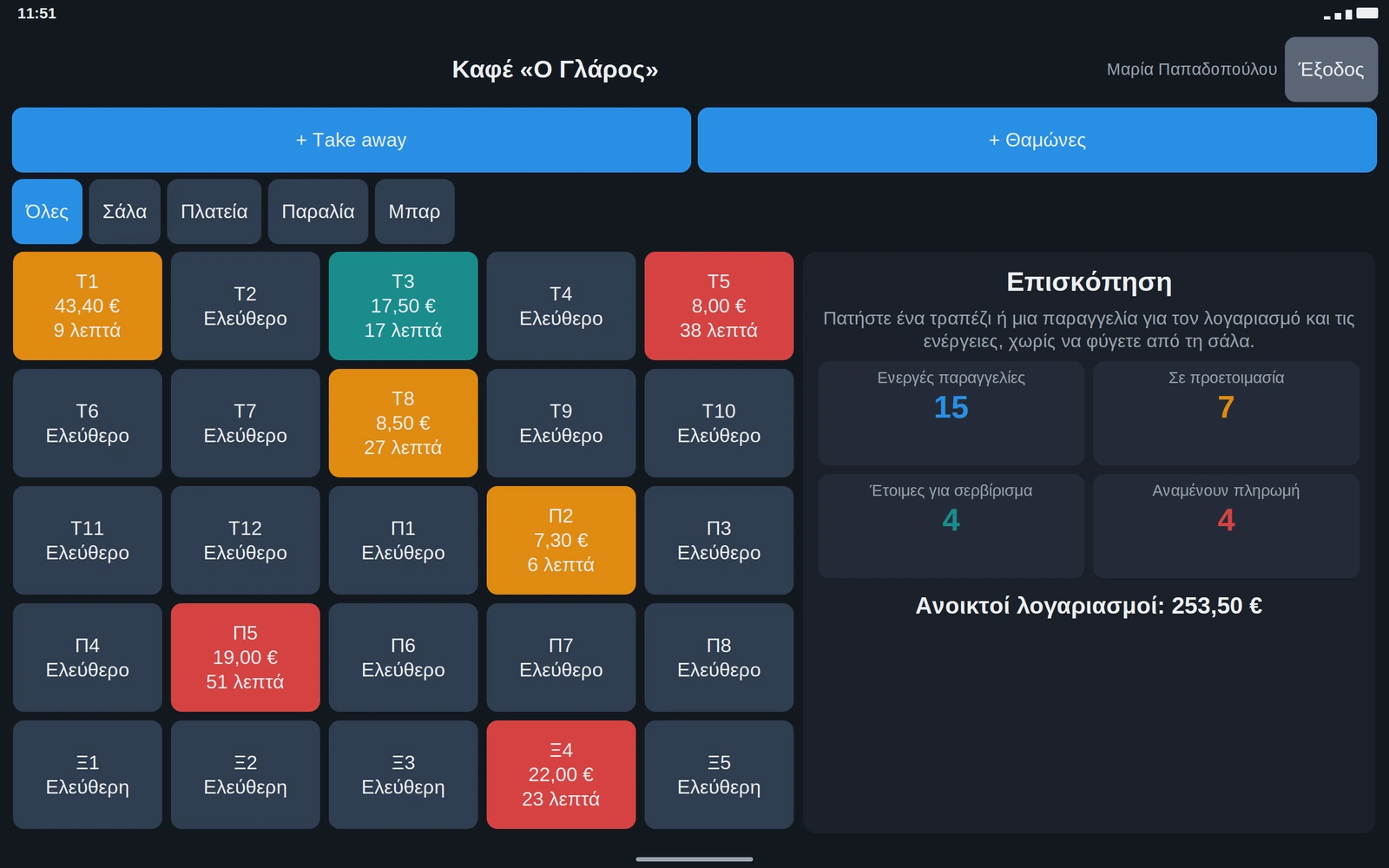
Shift overview
Active orders, in preparation, ready to serve and open bills, always next to the floor.
iPhone and iPad – no App Store
On iPhone and iPad, Sky Ordering System opens directly in Safari, as a web app hosted by the shop's own server. No App Store, Apple account or file installation is needed.
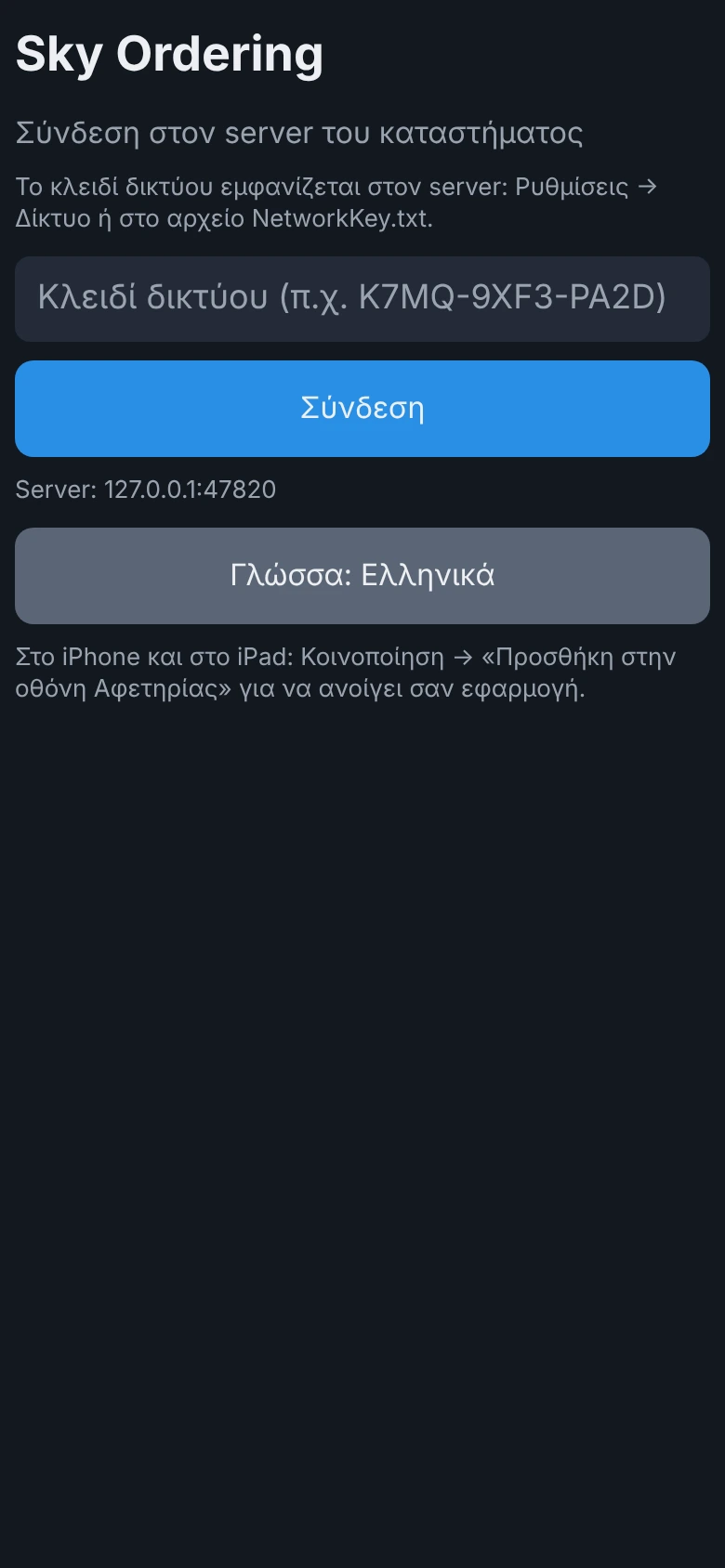
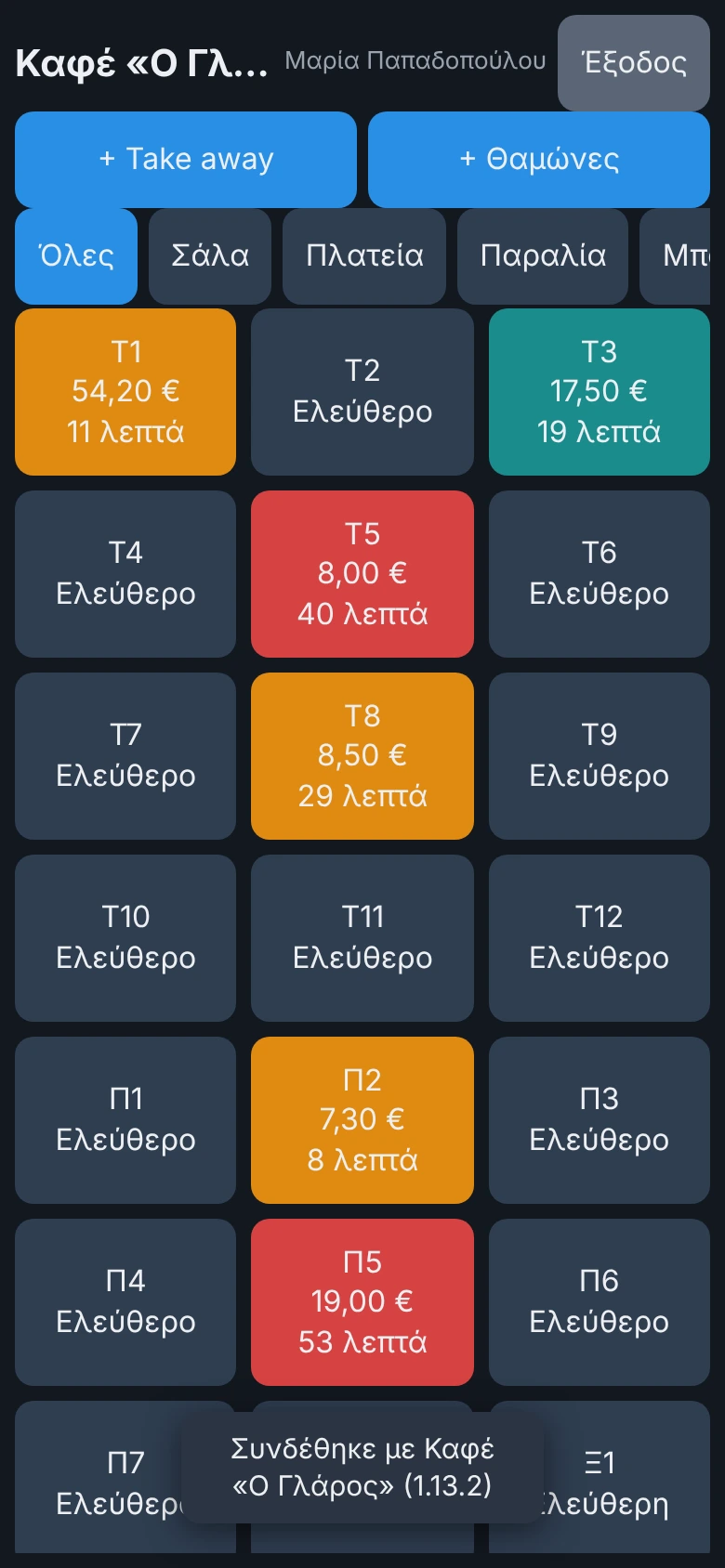
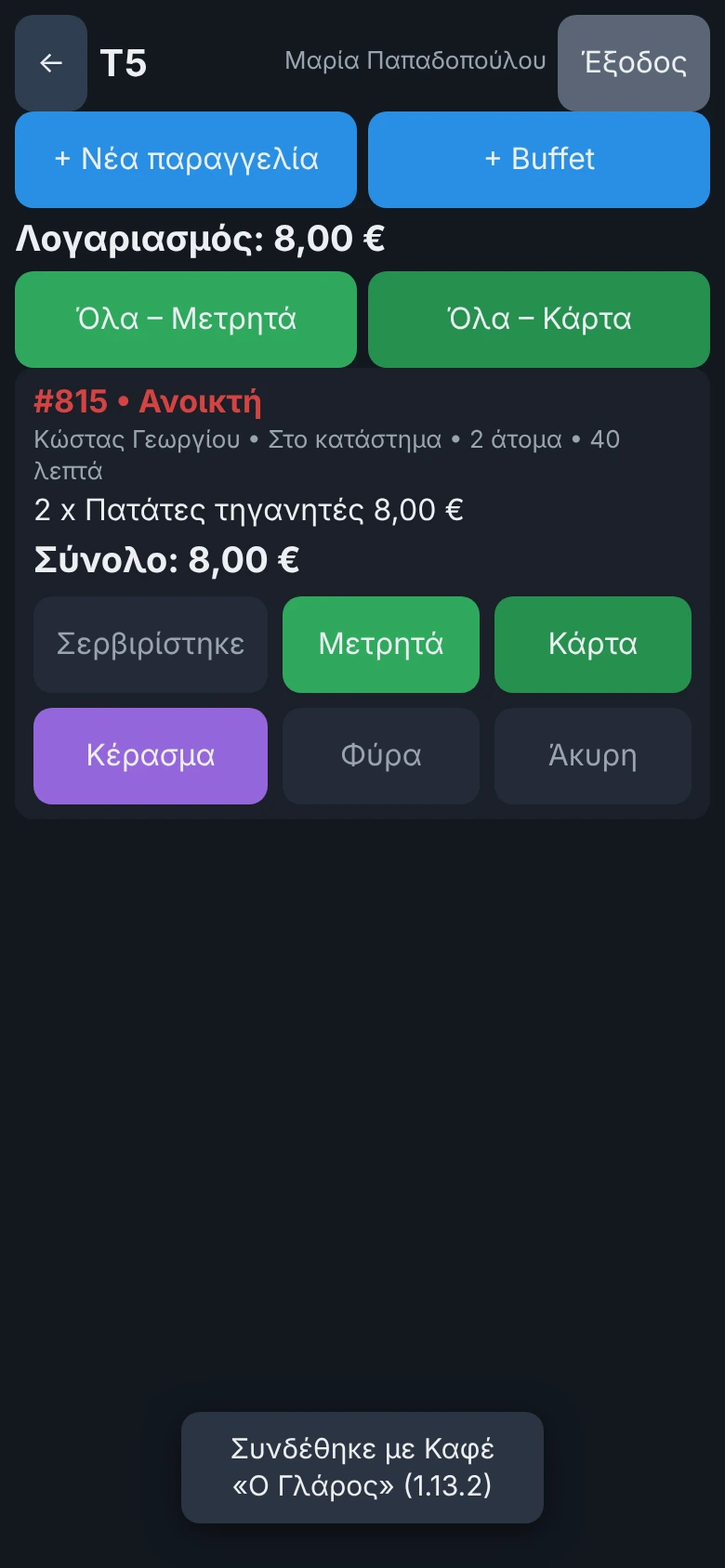
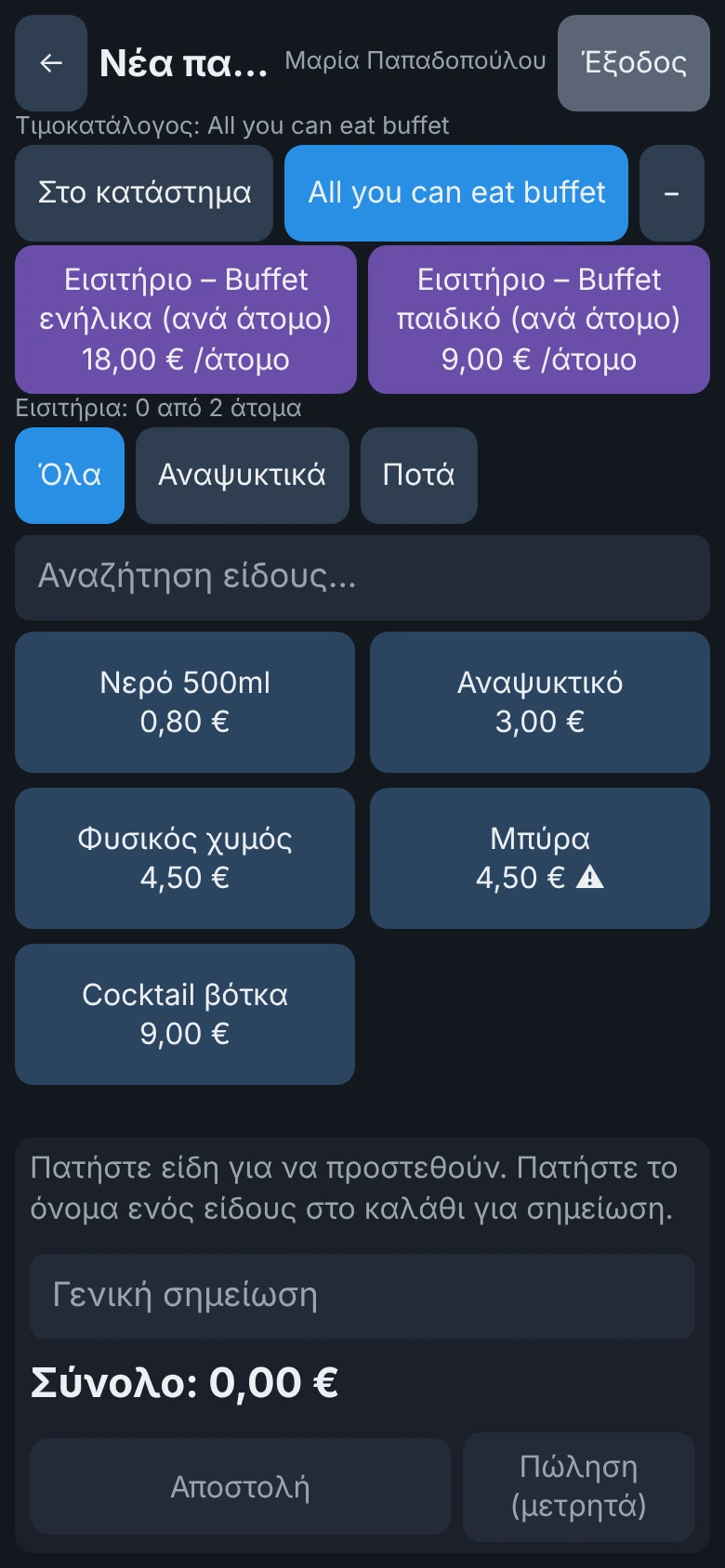
Open Safari
With the iPhone or iPad on the shop's Wi-Fi, open the address shown by the server in Settings → Network, e.g. http://192.168.1.10:47820/app/. The same address is also in the NetworkKey.txt file in the installation folder.
Type the network key
Enter the shop's network key. Communication is encrypted with it, just like in the Android apps.
Add to Home Screen
Tap Share → “Add to Home Screen”. From then on it opens with one tap, full screen, like a regular app.
Connected in 1 minute
The device must be on the same Wi-Fi as the shop's server (a Windows computer).
Install the APK
Download the SkyOrdering APK (phone) or the Sky Ordering Tablet APK (tablet) to the device and open it. If asked, allow “install unknown apps” for the browser or file manager. The same APKs are also in the Windows Start menu after installation.
Automatic server discovery
The app finds the server on the local network by itself. Type the network key (e.g. K7MQ-9XF3-PA2D) shown on the server, and the connection is made automatically.
Choose user and PIN
Each waiter signs in with their own code. From then on, everything they do appears immediately at the tills and in the kitchen.
Device
- Android 8.0 or later
- Phone or tablet, any manufacturer
- Sky Ordering Tablet: 7" screen or larger
- ~0.2 MB of space
Network
- Wi-Fi on the same network as the server
- No internet needed
- Ports TCP 47820, UDP 47821
Count
- Each device counts as one terminal
- Up to 100 terminals in total (Windows, Android, iPhone and iPad)
Cost
- The app is free
- No per-device charge
- Coming soon to Google Play
Put your tablets to work – 90 days free
Download the program for Windows and the APK for your Android devices. In a few minutes you will take your first order.